 THE DETAIL EDIT
Product detail video template
Turn three visible features into a useful product detail video. Follow a worked bag example, evidence checklist, and editable three-scene caption plan.
Use this templateYour three-scene starting point
- 01 — Start with the shape.
Introduce the silhouette.
- 02 — Take a closer look.
Highlight one material or construction detail.
- 03 — Make it part of your day.
Finish with the product in context.
When to use this format
Product explainers, collection previews, and a simple visual checklist.
Use details you can show in your own image. Do not infer material quality or performance from appearance.
The studio animates one selected image across three captioned scenes. For multiple generated shots or narration, export the plan and use it with your chosen production tool.
Learn how to adapt a formatBuild a product detail video from things you can verify
A product detail video explains the specifics behind a general description. Choose three visible, relevant, distinct features: a material, a compartment, and a control might answer different buyer questions. Repeating “premium quality” adds little that a viewer can verify.
This product feature template uses one source image and three captions. Each scene can highlight a different detail in words, while the image remains the same. It is an effective planning constraint when you already have a clear photograph. If the features require separate close-ups or a physical demonstration, use the script as a production plan for a fuller editor rather than implying that this preview shows those actions.
Choose three details for one audience
Before writing a product detail video, name the person and task. A commuter choosing a small bag may care about the opening, the arrangement of pockets, and the carrying strap. Someone selecting a studio prop may care about shape, finish, and color. The same product can support different stories, but one short should have a coherent point of view so the details reinforce each other.
A three reasons video does not need to declare that the item is the best choice for everyone. Describe what the audience can inspect and let the relevance become clear. “A separate pocket for small cables” is a feature with an understandable use. “Never lose anything again” turns that feature into an absolute result the photograph cannot prove. Useful benefit captions stay close to the supported detail.
Write a product detail video with a worked bag example
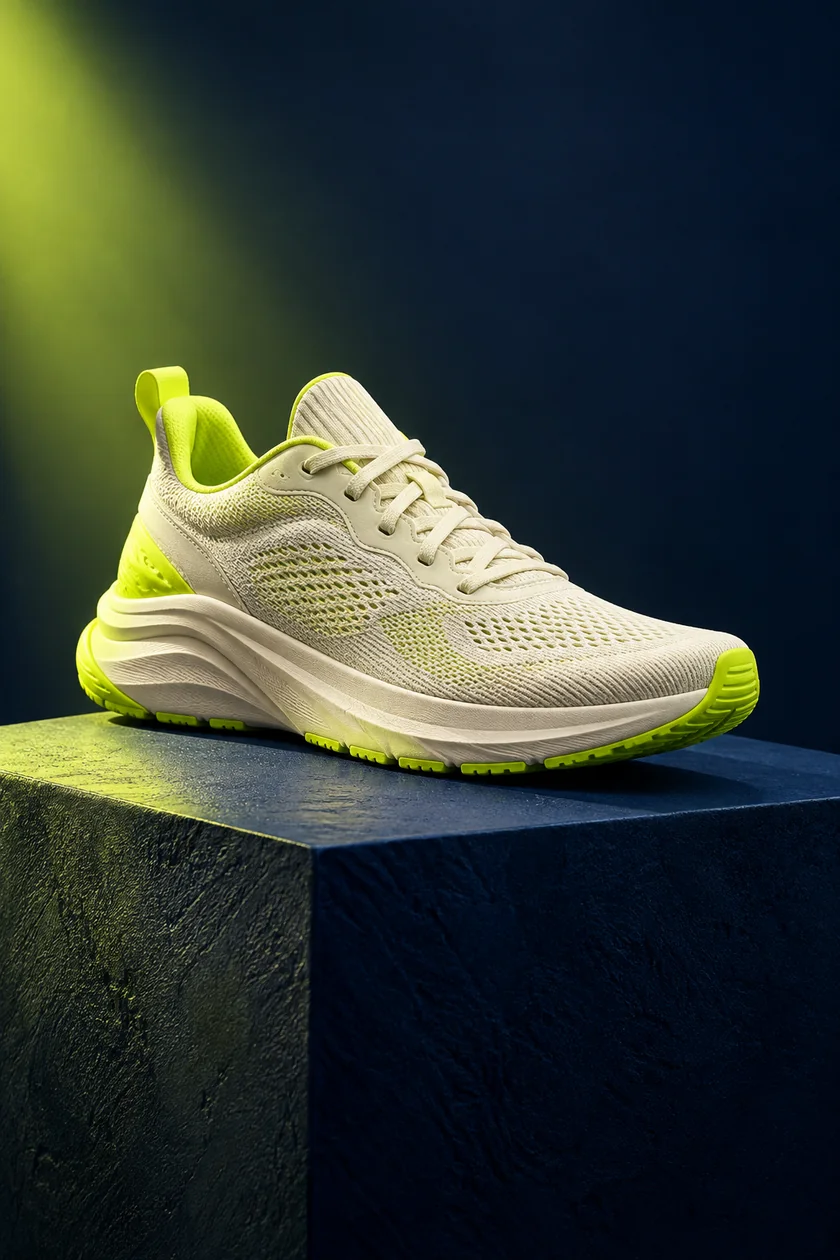
For a fictional everyday bag, a first draft might use these three captions: “A wide opening for an easier look inside.” “A separate pocket for the small things.” “An adjustable strap for your preferred fit.” Before using the lines, confirm that the actual bag has each feature and that your visual makes the relevant claim understandable. The example is a writing pattern, not a description of the sample sneaker image.
A product detail video can end with its third feature. Save a brand story, long offer, or full specification list for a separate format. Each scene needs room to explain its own point.
You can keep the detail names parallel without making every line identical. Begin with the visible object or feature, then state a modest use when it is supported. Read the captions consecutively. If two lines explain the same benefit, choose a different detail or reduce the scope to a stronger single-feature piece using the product reveal template.
Match each statement to the available evidence
A credible product detail video needs a simple evidence check. For every caption, identify whether the support is the photograph, a verified product specification, or a separate demonstration. A visible zipper supports the fact that a pocket closes with a zipper. It does not by itself establish waterproofing, durability under testing, or how long the item will last. Make the wording no broader than the evidence.
Use your product demonstration plan to list shots you still need. A hinge opening, a surface being cleaned, or a device being operated may require actual footage. The current browser studio animates a still image; it does not synthesize those demonstrations. If a key feature remains outside the crop, choose a better source image or another production method instead of asking the caption to compensate for missing information.
The sample imagery is AI-generated and should be replaced when real construction, packaging, or product identity matters. Inspect details such as labels, seams, controls, and accessories. Your product detail video should depict the version that the viewer can actually obtain. When several versions differ, name the relevant model or variant in a suitable caption or accompanying description.
Assemble the captions and review the crop
Open the product detail browser template, add your own image, and replace the sample captions. Start at five seconds per scene and watch the full sequence. If the middle caption is significantly harder to read, shorten it rather than assuming the other scenes need to become longer too. The editor applies the same duration to all three scenes.
Preview portrait and square versions of the product detail video. A tall crop may suit a narrow item but hide the edges of a wider one. Keep essential details away from areas where your caption overlaps the image. Accent color should help separate the words from the background; it should not be the only reason someone can identify the feature being discussed.
If the opening still needs a clearer reason to watch, consult the short video hooks guide. If you are adapting a format from another example, use the reference video workflow to separate its structure from its original products, claims, and visuals. Both guides help make the brief more precise before the final production choices.
Finish with a product detail video someone can inspect
Show the draft without an introduction. Ask which three details the reviewer understood and whether the image supported them. Clarify vague captions or identify the product variant if either causes confusion.
Export your product detail video as a silent WebM file, then watch the download with the video export checklist. Keep the source image, reviewed specifications, and text script together. Those files make it easier to update one caption when a product changes. Return to the template collection when the next project has a different communication job; a three-detail structure should serve the available evidence, not force every item into the same story.
Your next great video
starts with one idea.
Bring the idea. We will give you a place to start.