 PRODUCT SPOTLIGHT
Product reveal video template
Build a product reveal video from one image and three captions. Get a worked launch script, image selection advice, and a practical review checklist.
Use this templateYour three-scene starting point
- Meet your next everyday favorite.
Open on the strongest product angle.
- Made for the moments that move you.
Move closer to a detail worth noticing.
- Find your next move.
End on the full product and your next step.
When to use this format
A new collection, a product launch, or a single-feature announcement.
Show one demonstrable benefit. Replace vague superlatives with a detail your footage can support.
The studio animates one selected image across three captioned scenes. For multiple generated shots or narration, export the plan and use it with your chosen production tool.
Learn how to adapt a formatPlan a product reveal video around one visible detail
A product reveal video introduces one specific item or detail: a new color, a useful shape, or an arrival. Choose something your image supports. Save the collection, full specifications, and offer for the destination page so viewers can follow the introduction.
This product launch video template is a starting structure for that decision. The browser version uses one image, animated framing, and three captions. It can make a product showcase from a photograph you already have. It cannot show an unseen mechanism opening or demonstrate a material bending. If movement is the point of the launch, use the draft as a plan for real footage or another production tool.
Write a product reveal script before choosing effects
For a useful product reveal video, give each scene a different job. The opening names the item or invites a closer look. The middle draws attention to one observable detail. The ending offers a next step that is available now. Write those three jobs on paper first; choosing a font or accent color is easier once the message is settled.
Here is a fictional stationery example you can adapt: “Meet your new desk companion.” Then: “A wide opening. Your everyday essentials in view.” Finally: “See the organizer in three colors.” These captions work only when the photographed item has that opening and the destination really shows three colors. A good product reveal script is specific enough that another person can check it against the actual product.
A product reveal video for an unreleased item needs a different ending. “Preview the collection” can be accurate when a preview exists; “Shop now” cannot. If there is no live destination, close with the product name and a concrete descriptive detail. A complete short does not need a fabricated deadline or an unavailable call to action to feel finished.
Choose an image that survives the crop
Start your product reveal video with a clean image at a useful resolution. Leave space around the subject, especially above and below it if you plan to export a portrait frame. A tightly cropped landscape photograph may lose important edges when it fills a tall canvas. Check the actual preview rather than assuming the source image will remain fully visible.
For an image to video ad, the background affects the captions as much as the product does. Small bright objects, busy textures, and strong edges can compete with text. A simple background gives the product a clear silhouette and makes the middle caption easier to inspect. Select your own JPEG, PNG, or WebP in the studio; the current file limit is 10 MB. Keep the original image outside the browser too.
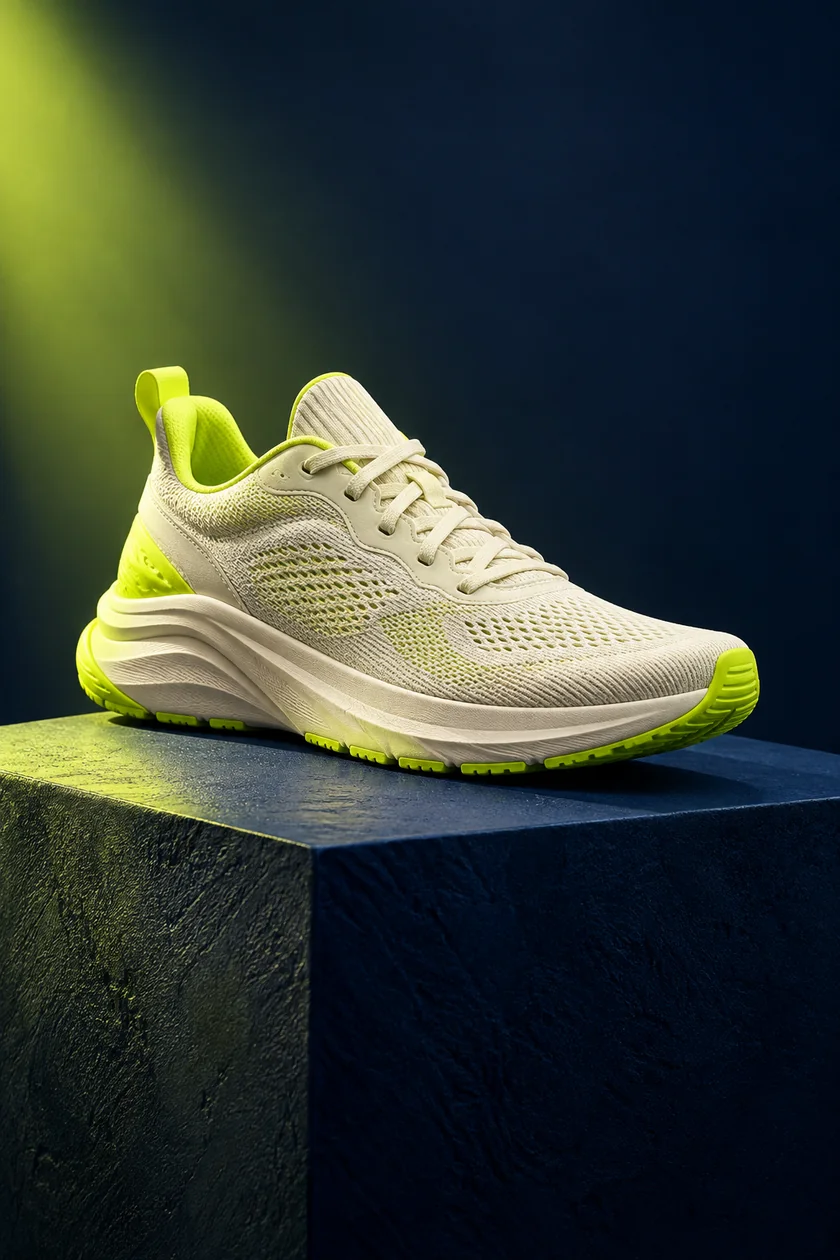
The sneaker shown on this page is an AI-generated example, not evidence of a real product's construction or performance. Replace it with your own product image when the details matter. Check packaging text, labels, and visible accessories before using a photograph commercially. Your product reveal video should help a customer recognize the item they will actually receive.
Build the first version in the studio
Open this template in the browser video editor, replace all three sample captions, and select an aspect ratio. Start with the default five seconds per scene. Read each caption while the preview plays; shorten a sentence if you have to rush it. The editor applies the same scene duration across the three scenes, so adding reading time also changes the full length.
Treat the first product reveal video as a reviewable draft. Ask whether the product is identifiable immediately, whether the middle adds a real detail, and whether the ending follows from that detail. A sentence such as “Designed for everything” gives a reviewer very little to check. “A separate pocket for small cables” gives them a visible feature to confirm or correct.
Choose an accent that separates the captions from the image without hiding the item. Compare portrait and square crops. Both use the same photograph; a second camera angle requires another source image or editing workflow.
Review the message with someone who has not seen the brief
Show your product reveal video without explaining it. Ask a reviewer to name the item and main detail. If they remember only the background, simplify the crop or make the opening more direct before adding effects.
When the story needs several features, move to the product detail format rather than squeezing them all into a reveal. If the main challenge is the opening line, use the short video hooks guide to write a few alternatives. Those choices change the structure of the message, which is usually more useful than replacing a single adjective.
Export, save, and compare one meaningful change
Export the product reveal video as a silent WebM file and watch the downloaded result from beginning to end. Keep the tab active while recording. The video export checklist explains the supported dimensions, caption review, and file checks. If your publishing destination requires another format or an audio track, finish those steps in an appropriate editor before sharing.
Save the text script and the original image beside the final download. Give a revised product reveal video a clear version name, such as “desk-organizer-opening-b,” so you can identify what changed. Compare an opening focused on the object with one focused on its visible detail while keeping the rest stable. Use actual viewer responses to decide the next edit; this template does not predict reach or sales.
Return to the Hypit video templates library for another story shape. Choose a creator story for a personal account or a daily routine for an item within a repeatable moment.
Your next great video
starts with one idea.
Bring the idea. We will give you a place to start.