Short video storyboard: plan one clear message
Build a practical three-scene worksheet before opening the editor. This short video storyboard guide walks through a coffee routine example, equal scene timing, image checks, caption revisions, and the files to retain when you export a Hypit video draft for review.
Give your short video storyboard one job
A short video storyboard turns an idea into a sequence you can actually review. Begin with one sentence naming the viewer, the subject, and the useful takeaway. For an illustrative coffee piece, write: “Help a home coffee maker remember the order of a simple morning routine.” That sentence gives the scenes a shared purpose before you choose an image or write captions.
Keep the outcome small enough for three scenes. A brewing lesson needs measurements and demonstrations that one image cannot supply. A reminder about preparing the counter can work through words and animated framing. State what the viewer should understand, then remove ideas that belong in another video.
Write a three scene plan before choosing a template
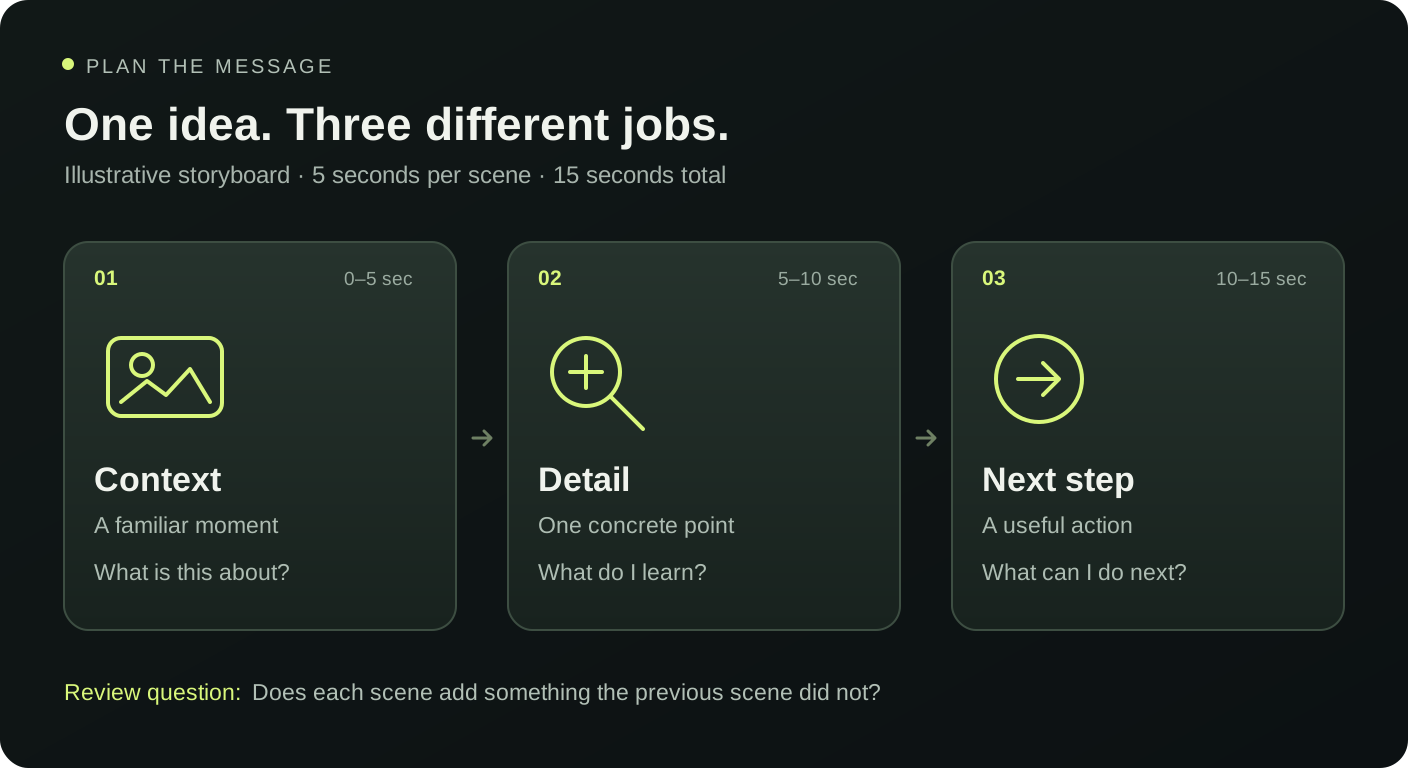
Use a short video storyboard worksheet with four fields for each scene: its job, its caption, the visible subject, and its review question. These fields prevent attractive wording from hiding a missing explanation. The first scene introduces the situation. The middle adds a useful detail. The final scene closes the thought or offers an appropriate next step.
For the coffee example, the opening introduces preparation, the middle names the objects, and the ending suggests doing the setup tonight. Choose an image showing the relevant counter items. If the photograph shows only a cup, rewrite the middle rather than pretending that equipment appears in the frame.
Turn the worksheet into a worked fifteen-second example
This storyboard example uses five seconds for each scene. Scene one runs from zero to five seconds with “Make tomorrow's coffee easier tonight.” Scene two runs from five to ten seconds with “Set out your cup, beans, and scale.” Scene three runs from ten to fifteen seconds with “Leave the counter ready for morning.” These are planning examples, not claims about measured results.
The short video storyboard now has a progression: a recognizable moment, a concrete preparation step, and a repeatable action. Read the captions consecutively without the image. The second line answers how to prepare; the third explains when to do it. Replace vague alternatives such as “Discover your best routine” with details that help the viewer follow the sequence.
Match scene timing to the longest caption
Hypit.me gives its three scenes equal durations, from three to eight seconds each. Your total therefore runs from nine to twenty-four seconds. In a short video storyboard, begin with five seconds per scene, then preview the longest line at a small display size. Reading aloud can reveal awkward wording, but also inspect the silent playback because there is no spoken narration.
When one caption feels rushed, shorten it before extending every scene. “Set out the things you will need to prepare your morning coffee” can become “Set out your cup, beans, and scale.” That revision names the objects and reduces the reading load. A longer setting also lengthens the other two scenes, so check whether they now linger after their message feels complete.
Check what the image can honestly communicate
The studio uses one selected image across all three scenes. It animates the framing and changes the captions; separate storyboard boxes do not create separate photographs, camera angles, or recorded demonstrations. Mark each worksheet scene with “same image” when that is your plan. This keeps the production brief clear for anyone who reviews it later.
Use the short video storyboard to identify missing visual evidence before opening the browser studio. A line about a folding mechanism needs an image or later footage that shows the mechanism. For a message based on an observable product detail, the product video script guide helps connect the words to supportable facts. Avoid filling a visual gap with an unsupported benefit.
Build and revise a reviewable draft
Choose a starting structure from the template library, then replace the three captions with your worksheet lines. Selecting another template replaces those captions, so save a copy of approved wording before experimenting. Each caption permits up to 120 characters, although a shorter line can be more comfortable to read.
Play the short video storyboard in order and ask a different question at each checkpoint. At the opening, is the subject recognizable? In the middle, has the viewer learned something specific? At the ending, does the next step follow from that detail? Keep a revision note such as “changed scene two to name the actual objects.” A concrete note makes the next review useful.
Save the decisions alongside your source image
A Hypit video draft can be downloaded as a silent WebM, a text script, and a JSON creative brief. The brief includes scene wording, duration, aspect ratio, and template shot notes. Your custom image is not bundled into that file, so save it separately. Browser draft settings can be stored locally, but that is not a shared project archive.
Treat the short video storyboard as a record of decisions: who the message serves, which image supports it, and what changed after playback. For longer production, add notes identifying new shots or audio that another editor must supply. When the wording is settled, use the export checklist to review the downloaded file and retain the approved source materials together.
Does a written storyboard need drawings?
No. Plain sentences are enough when the visual plan is simple. Describe the visible subject, write the caption, and state what that scene contributes. Sketches become useful when positions or shot changes need explanation. For this studio, a text worksheet is particularly practical because one image remains visible throughout the three scenes.
Can every scene have a different duration?
The current studio uses one duration setting for all three scenes. Plan within that constraint or take the exported brief into an editor that supports individual timing. Your short video storyboard should record the intended timing clearly so that a later production does not mistake a planning note for an exported behavior.
What should I change when the story feels repetitive?
Give each caption a separate job instead of restating the same promise. Keep the opening situation, make the middle concrete, and let the ending resolve that situation. Rebuild the short video storyboard around a single takeaway, preview it again, and keep the version whose message is clearest without sound.